AI Product Photos for Etsy: What Works and What's Allowed
AI tools can now turn a simple phone photo into a clean studio shot, a styled scene or a close-up in seconds. For Etsy sellers without a studio, that is a big deal. But Etsy buyers are buying a real object, and Etsy's rules are clear that your photos must show it honestly. This guide explains what Etsy allows, where AI photos really help, where they cause problems, and how to use them without disappointing buyers.
What Etsy's rules say
Etsy's Seller Policy asks sellers to accurately represent their items and to use their own photos, not stock photos, artistic renderings or photos from other sellers. In practice, this draws a clear line:
- Fine: starting from your own photo of your real product, and using AI to change the background, the light or the setting.
- Not fine: a picture of a product that doesn't exist, or a version of your product that looks different from what the buyer will receive.
Etsy's creativity standards also say sellers must disclose in the listing description if an item itself was created with the use of AI. That rule is about the product, such as AI-generated art, not about editing the photo of a handmade item. Still, a short honest line never hurts. More on that below.
Where AI photos help
Clean main photos. Your first photo is your thumbnail in search. AI can remove a messy kitchen table and put your product on a plain, bright background, which is exactly what a main photo needs.
More angles from fewer photos. Etsy lets you add up to 20 photos per listing. Most sellers use far fewer, because every angle means another photo session. AI can turn a few good phone photos into a fuller set: front, side, detail and a styled scene.
Lifestyle scenes without props. A ring on a marble dish, a candle on a cozy shelf, a hair comb on a dressing table: scenes like these help buyers imagine the product in their life. AI can create the setting so you don't need to buy props or find the right corner of your home.
Consistent look across your shop. When every listing has the same background and light, your shop looks professional and trustworthy.
Here is a real example. These two phone photos of a handmade hair comb set were taken on a cluttered table:
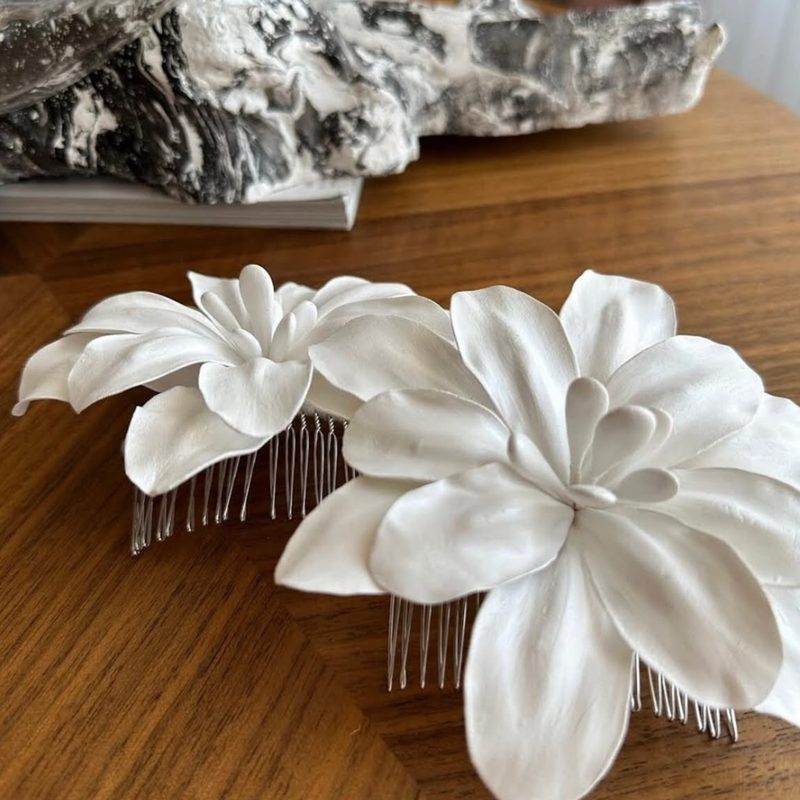
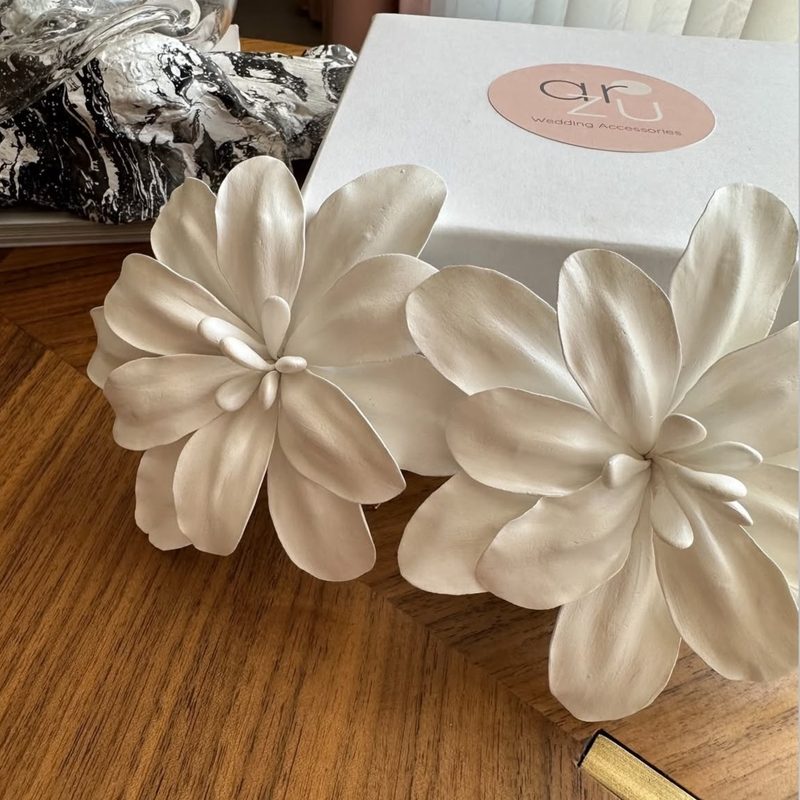
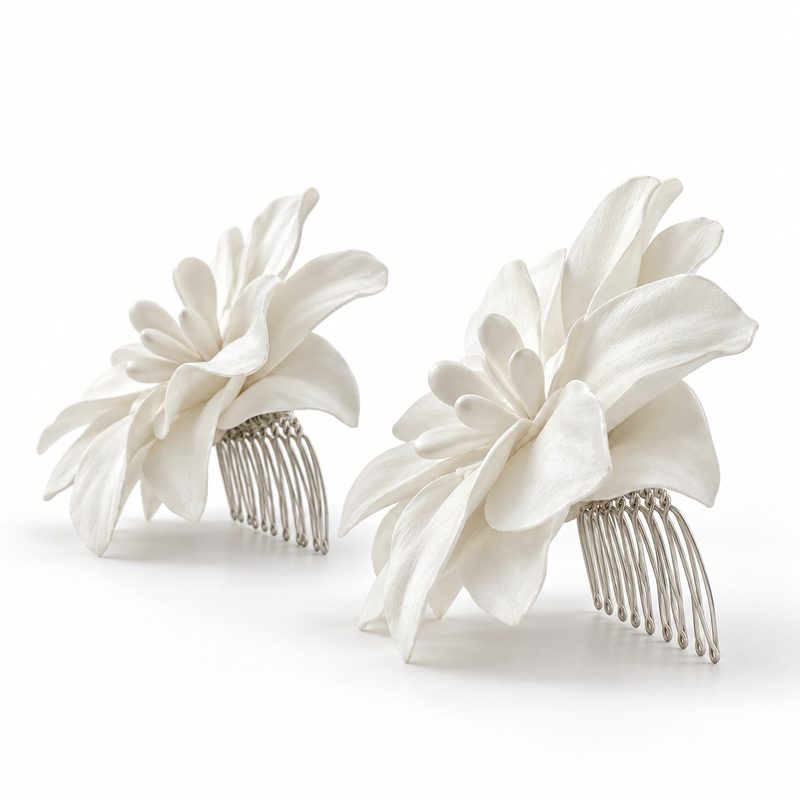
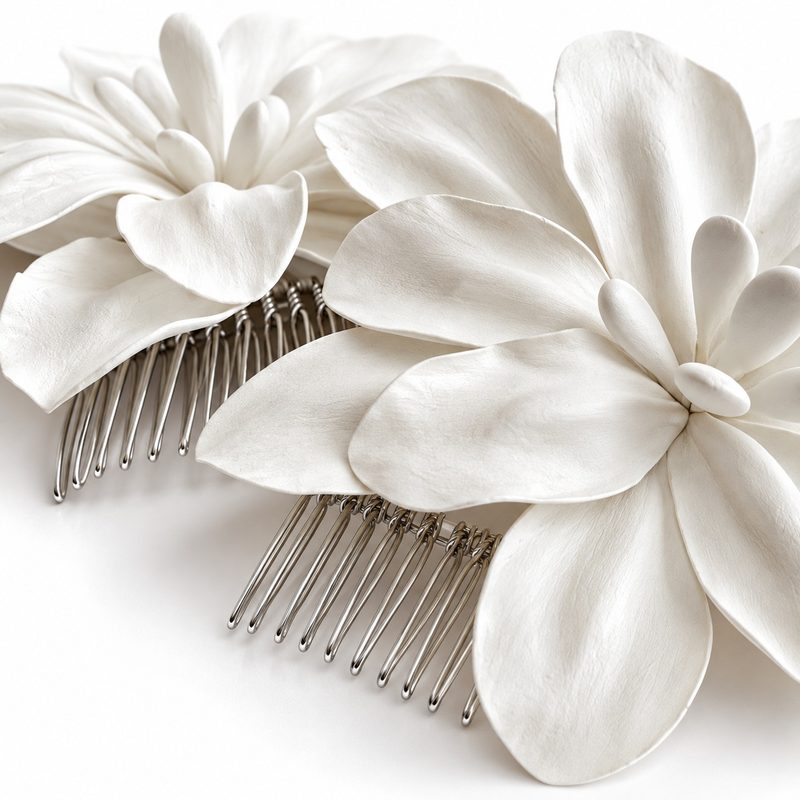
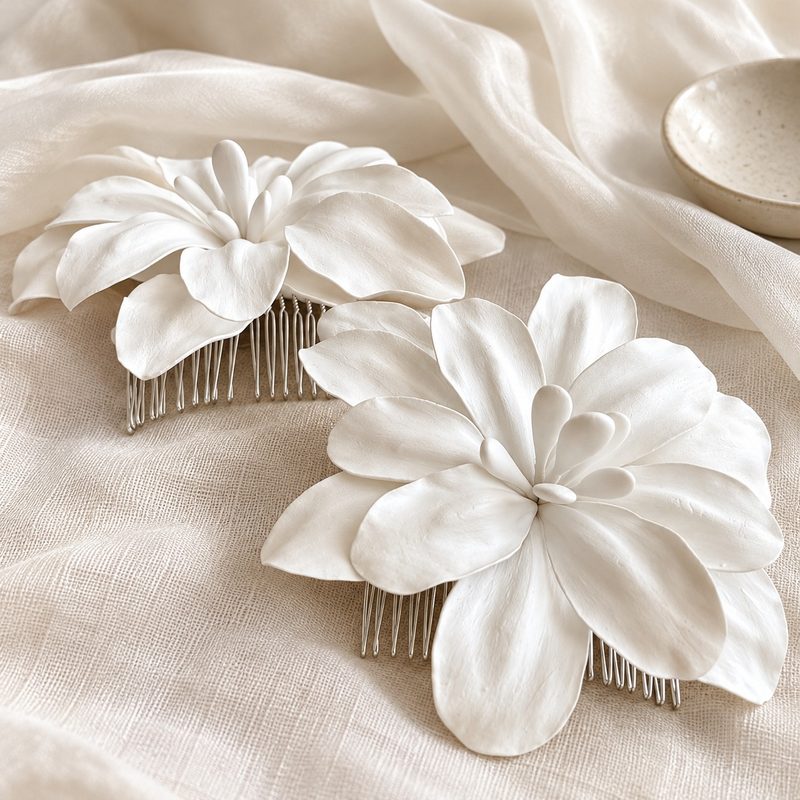
From those two photos, AI created this set: a studio shot, other angles, a close-up and a styled scene. The combs, the flowers and the metal stayed the same; only the background, light and setting changed.
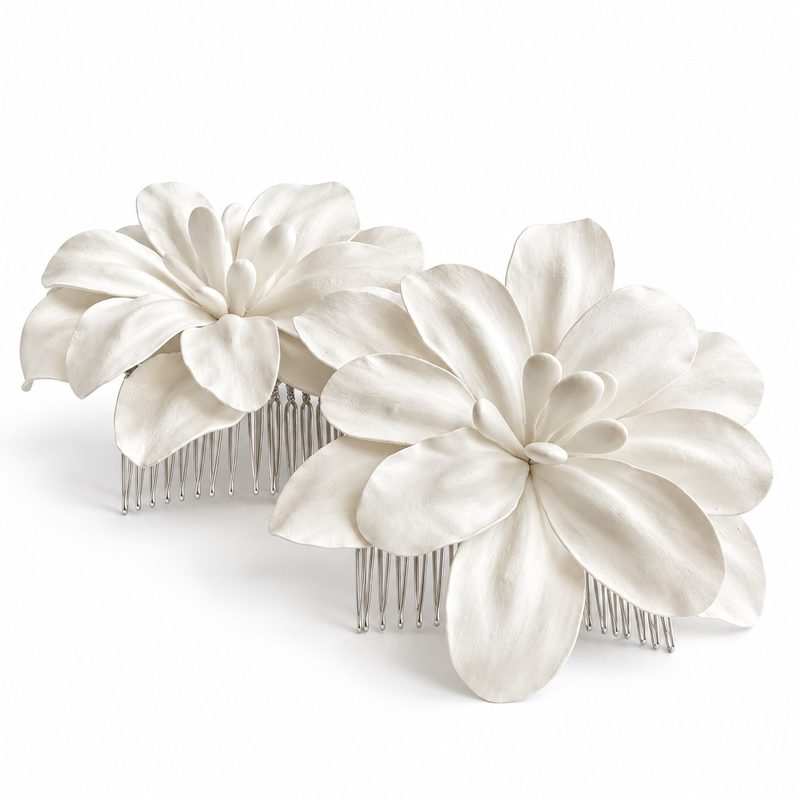
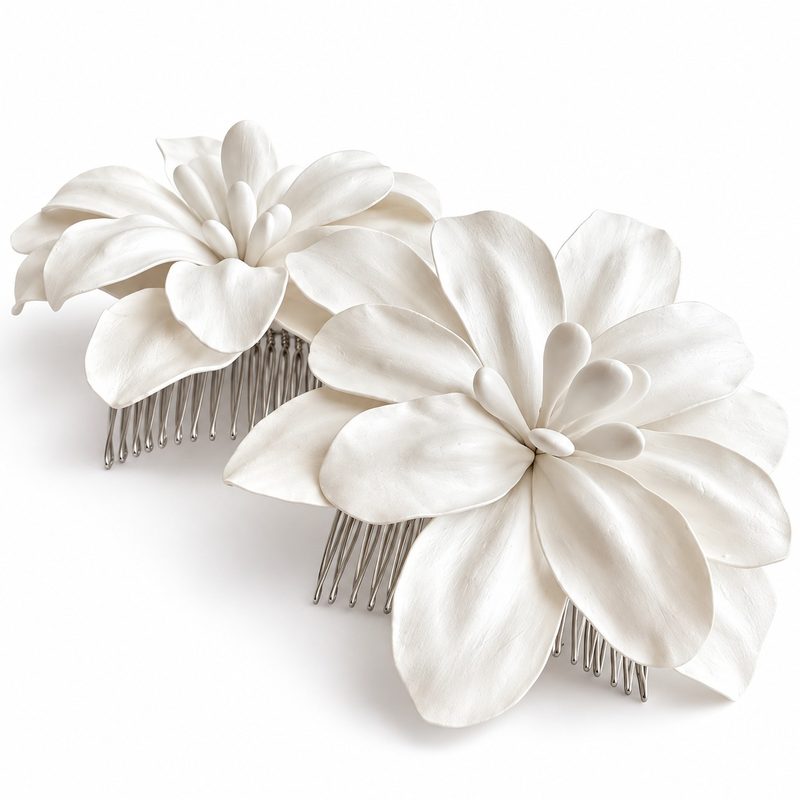
Where AI photos hurt
- Changing the product. If AI smooths the texture, changes the color or "fixes" small handmade details, the buyer gets something different from the photo. That leads to disappointed buyers, returns and bad reviews.
- Wrong size. AI scenes can make a small item look bigger or smaller than it is. Always include at least one photo that shows real scale, such as in a hand or next to a familiar object.
- Too-perfect photos. Part of handmade's charm is that it looks handmade. If every photo looks like a factory catalog, buyers may trust the shop less.
- Strange details. AI sometimes adds extra fingers, warped text, impossible shadows or objects that melt into each other. Check every image at full size before you upload.
How to use AI product photos the right way
- Start from a good real photo. Daylight, a sharp focus and the whole product in frame. AI works best when the source photo is clear. Our guide to Etsy product photos with your phone covers the basics.
- Change the scene, not the product. Background, light and setting are fair game. Shape, color, texture, size and details are not.
- Compare every AI photo with the real product. Hold the product next to the screen. If you notice a difference, a buyer will too.
- Keep at least one unedited photo. A real phone photo, especially one showing scale or texture, builds trust.
- Be open about it. A short line in your description, such as "Some photos show the item in styled AI-generated settings; the product itself is shown as it is," sets the right expectations.
- Use the right size. A square or 4:3 image, at least 2,000 pixels on the shortest side, works well for Etsy.
A quick checklist
- Every AI photo started from your own photo of the real product
- Color, texture and details match the real item
- At least one photo shows real size
- At least one photo is unedited
- No strange details at full size
- A short note in the description if you use styled AI scenes